
Modern Presentations
in Your Browser
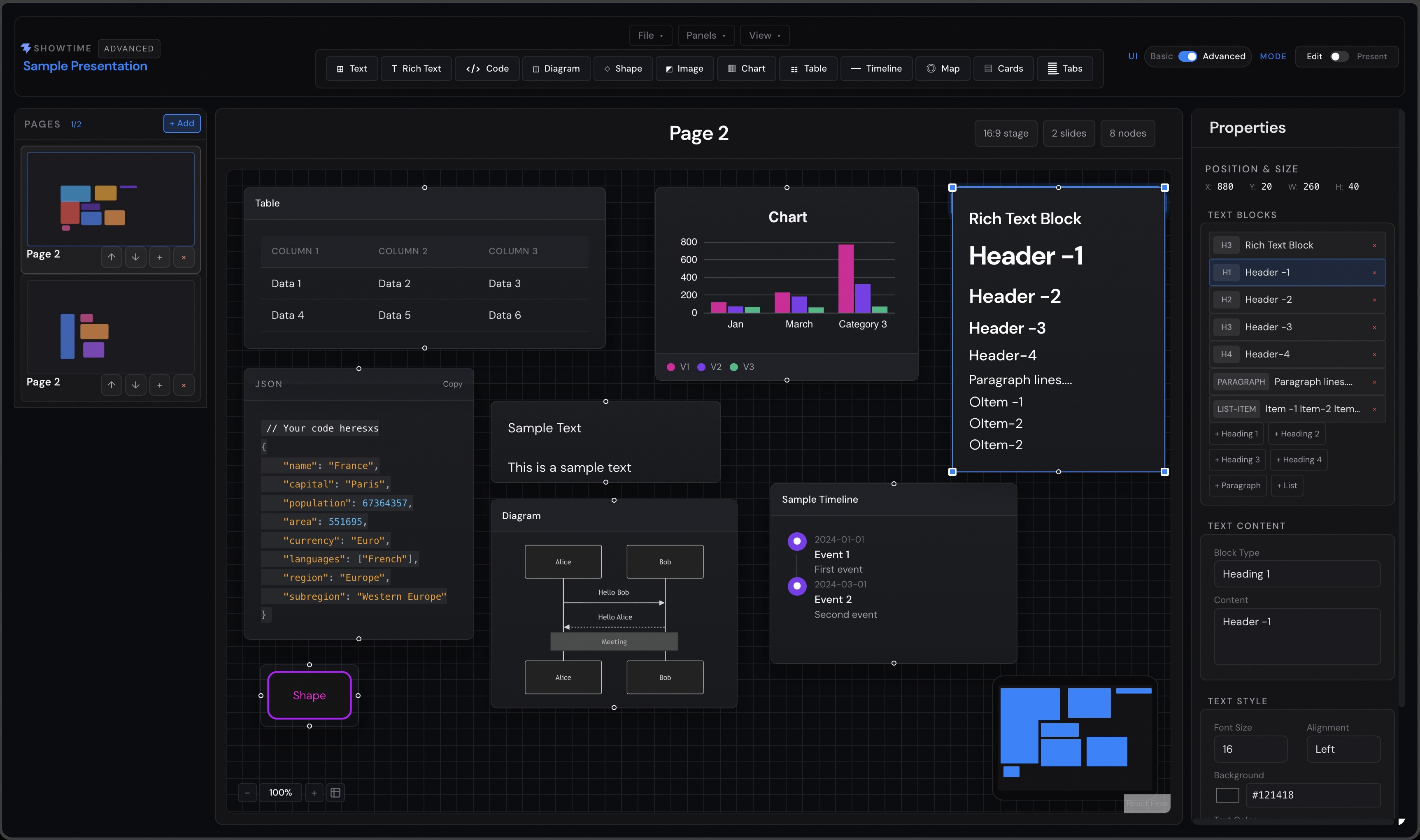
ShowTime Lite is a cloud-based slide creation tool that lets you design stunning presentations with real-time preview and export capabilities. No install required – just create, collaborate, and share.
Latest release
v0.0.4-Alpha
Published June 7, 2026. This alpha release focuses on light/dark app theming, canvas rendering fidelity, presentation layout polish, and persistence fixes discovered after 0.0.3-Alpha.
Read release notesRelease summary
- Comprehensive app theming Light and dark themes now apply across toolbars, menus, dialogs, side panels, property panels, popups, and feedback surfaces.
- Improved light-mode legibility Text weight, panel contrast, icon contrast, action colors, labels, and menu items were adjusted for better readability.
- Theme persistence The app initializes from the last saved app theme before React renders, avoiding a dark-mode flash for saved light-mode sessions.
- Canvas fidelity Chart labels, diagram connectors, timeline rendering, and canvas element colors now adapt across edit and presentation modes.
- Presentation polish Presentation mode gained a less rounded viewport, tighter help toolbar placement, and better slide scaling.
- Project and storage fixes Project tree behavior, breadcrumbs, slide-title syncing, and cloud save compatibility were refined.
Roadmap
ShowTime Lite already supports local creation and cloud organization. The next milestones focus on offline use, collaboration, and smarter templates.
Available today
Editor and cloud workspace
- Canvas editor
- Rich components
- Presentation and export
- Cloud workspaces
- Project tree
- Folder organization
Later
Upcoming milestones
- Q3 2026 Desktop app with offline support
- Q4 2026 Real-time collaboration
- 2027 Custom themes and AI-powered templates
Pricing and access
Build rich slides, diagrams, charts, and visual stories in the browser. Start locally for free, then upgrade for cloud project organization and feedback workflows.
Free
Local creation
$0
For trying ShowTime Lite and building browser-local decks.
- ✓ Guest workspace at /guest with browser-local save
- ✓ Canvas editor with drag-and-drop slide building
- ✓ Rich components: text, code, images, charts, diagrams, shapes, tables, maps, and timelines
- ✓ Multiple pages, presentation mode, dark and light themes
- ✓ Export presentations as images or JSON
- ✓ In-app features and usage guide
Plus
Cloud organization
Soon
For signed-in users managing multiple cloud projects.
- ✓ Account workspace at /app with Convex cloud sync
- ✓ Multiple persistent cloud slide deck projects
- ✓ Project tree with root folders, subfolders, projects, and slides
- ✓ Nested folders up to three levels with clear validation
- ✓ Tree and thumbnail views with clickable breadcrumbs
- ✓ Rename, delete, and drag folders, projects, and slides
- ✓ Limits of 50 projects and 50 slides per project
Pro
Feedback workflow
Soon
For advanced cloud users who need persistence and feedback tracking.
- ✓ Everything in Plus
- ✓ Cloud tree persistence for structure, selection, view mode, names, and slide content
- ✓ Feedback submission from the Help menu for signed-in users
- ✓ Feedback saved in Convex and submitted to GitHub as issues
- ✓ Status tracking for pending, failed, open, and addressed feedback
- ✓ Five feedback entries for non-admin users
- ✓ Unlimited feedback for configured admin users